How to use your Space Dice
Work in Progress
These docs are still a work-in-progress and may not be fully baked just yet! Please contact me if any of it seems very wrong or needs extra clarification.
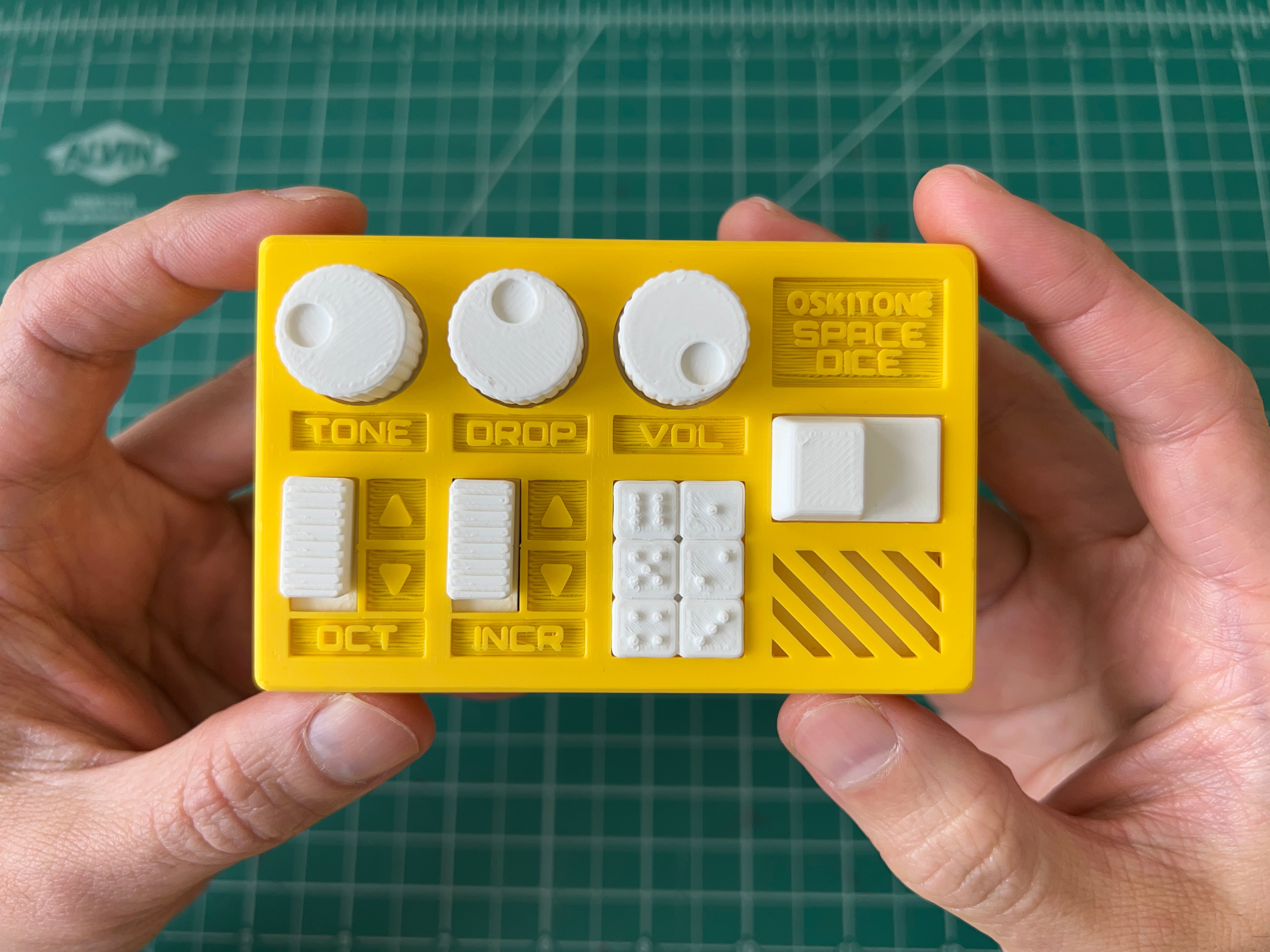
- Slide left side switch to toggle power
- Click the big button on the right to roll
- TONE knob: frequency tone/pitch
- DROP knob: how long roll takes to drop or decay
- VOL knob: volume
- OCT switch: tone octave
- INCR switch: increment speed for pip display
- Roll results show on the 2x3 light display, with pip counts from 1 to 6
Whenever you press the roll button, a new value will light up.
If the cycle increments sufficiently fast, it's easy for it to land on values that feel like random, unpredictable dice rolls. But it's just as easy for it to make slow, predictable rolls. Why don't these feel random?
Usages
- Substitute in any game that uses six-sided dice
- What's for dinner? Make an ordered list of six restaurants, then go to the one your Space Dice chooses
- To get lower value random numbers, use the lit column or row