3D-Printing
Work in Progress
These docs are still a work-in-progress and may not be fully baked just yet! Please contact me if any of it seems very wrong or needs extra clarification.
note
If you bought a kit with 3D-printed parts included, you can skip this section, but do open up the enclosure and confirm you have all the right pieces ready before continuing.
Download
Download STLs of the models from Printables or Thingiverse.
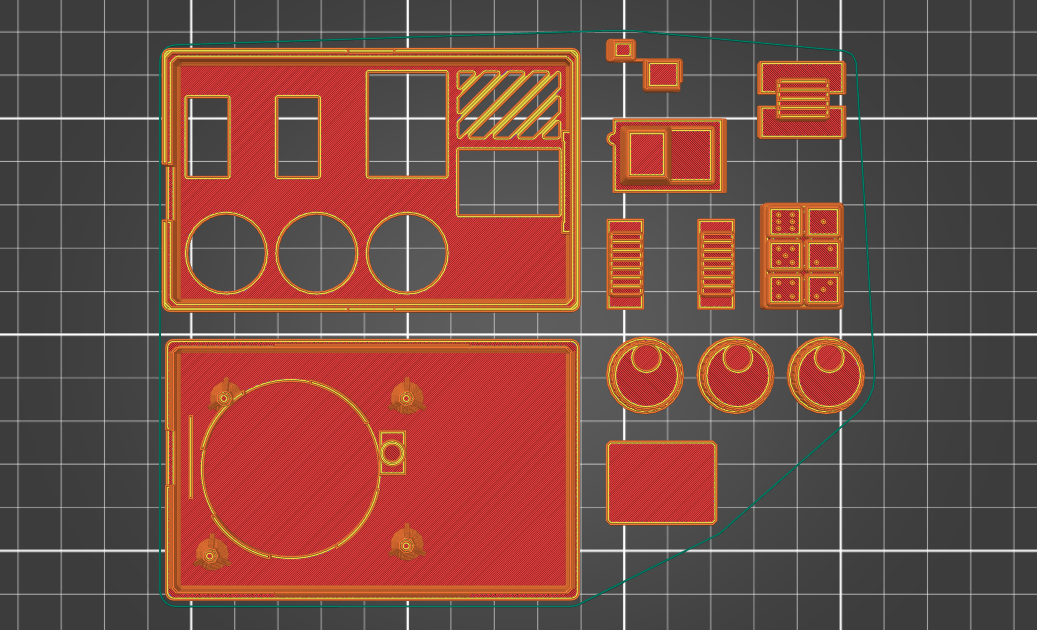
Slicing
There are 10 STLs included, 9 STLs required to print, for 12 required objects total. Expect 5.5 hours of print time.
| Part | Layer Height | Supports? | Estimated Time |
|---|---|---|---|
| battery_cover | .2mm | No | 5min |
| button_actuator_mount | .2mm | No | 10min |
| button_cap | .2mm | No | 15min |
| enclosure_bottom | .2mm | No | 1.5hr |
| enclosure_top | .2mm | No | 1.5hr |
| knobs | .2mm | No | 45min |
| led_display | .2mm | No | 30min |
| print_test | .2mm | No | 15min |
| side_switch_clutch | .2mm | No | 10min |
| top_switch_clutches | .2mm | No | 20min |
Optional but recommended
The print_test STL isn't used in assembly but is included to verify your printer's calibration and slicer settings. It's recommended to print it first before committing to the rest of the parts.
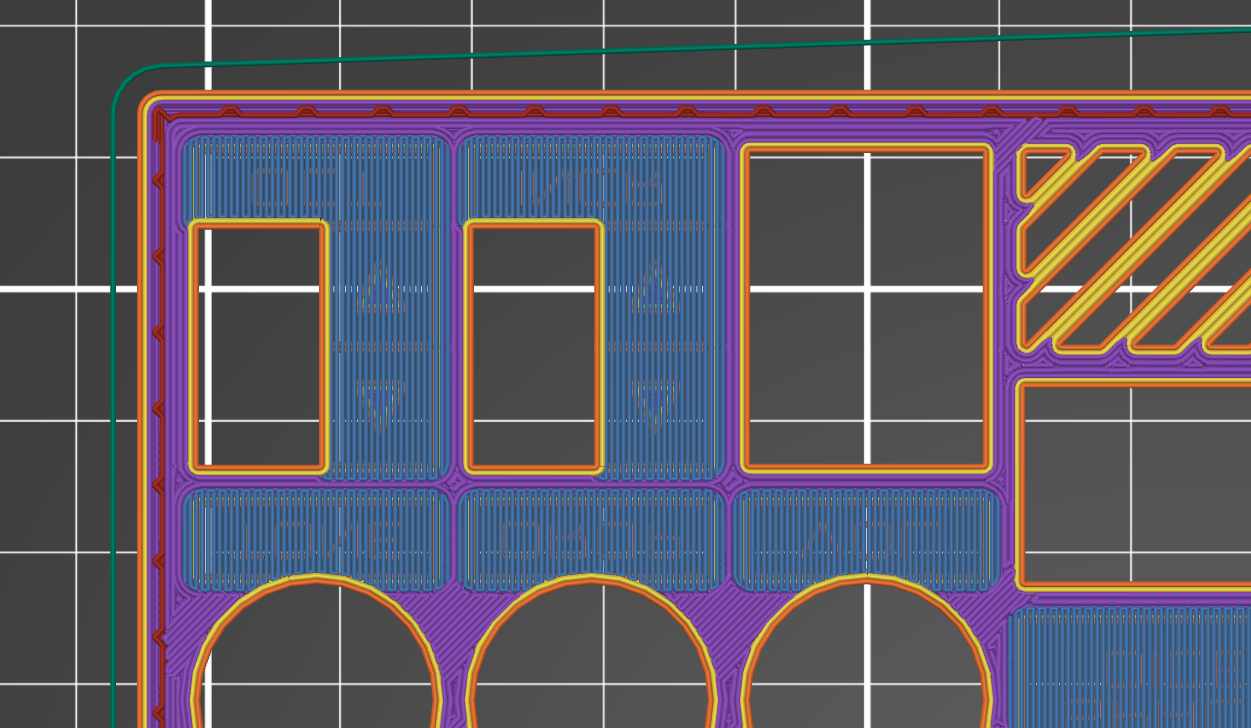
The enclosure has engravings that print on the build plate and bridge on top. Adjust your slicer's bridging angle so they run consistently across the text, one way or the other:
Other notes:
- It's "maker's choice" for filament colors, but I think a bold color for the enclosure and something neutral for everything else is striking. You can even do a color change for the
led_displaypips so they pop out even more. - The
knobsandtop_switch_clutchesSTLs both have multiple objects therein. Nominal speed optimizations may be had by splitting them into discrete objects, but it is not required. - Models assume Fused Deposition Modeling with a standard .4mm nozzle. Using a bigger nozzle will likely result in a loss of detail.
- The 3D-printed parts were designed using PLA. Other filament types like ABS are not recommended and will likely have fit or tolerance issues. (If you find that you need to drill or file your prints, that's a good sign there'll be other problems too.)
- 20% infill works well across all models.
- Any supports the models need they'll already have, they'll already be rotated to the correct orientation for printing, and they shouldn't need brims.
- Watch the first couple layers of the enclosure pieces while printing, especially around the text engravings -- if you see bad adhesion, stop the print to remedy the situation and start again.
- If the prints aren't fitting together well, check to see that the corners aren't bulging. See if your slicer has settings for "coasting" or "linear advance."